Turn Any Textbook Into Practice Games
A neuroscience-backed platform for building reading fluency through high-volume practice in just 15 minutes a day
AlphaKhoj is a neuroscience-based reading fluency application designed to help children and adults build automatic word recognition through high-volume practice. Unlike traditional reading apps that use generic content, AlphaKhoj allows you to scan your own textbooks, homework pages, or any text material and instantly converts them into engaging practice games.
The app addresses a fundamental challenge in reading development: struggling readers need massive repetition (100+ exposures) to build automatic word recognition, but traditional textbooks only provide 5-10 exposures per word. AlphaKhoj bridges this gap by delivering rapid, meaningful repetitions through cognitive games.
AlphaKhoj is perfect for:
AlphaKhoj is built on a neuroscience-backed 4-step approach that mirrors how the brain naturally acquires reading fluency. Each step is designed to strengthen neural pathways for effective, lasting learning.
Introduce new content through engaging audio and visuals
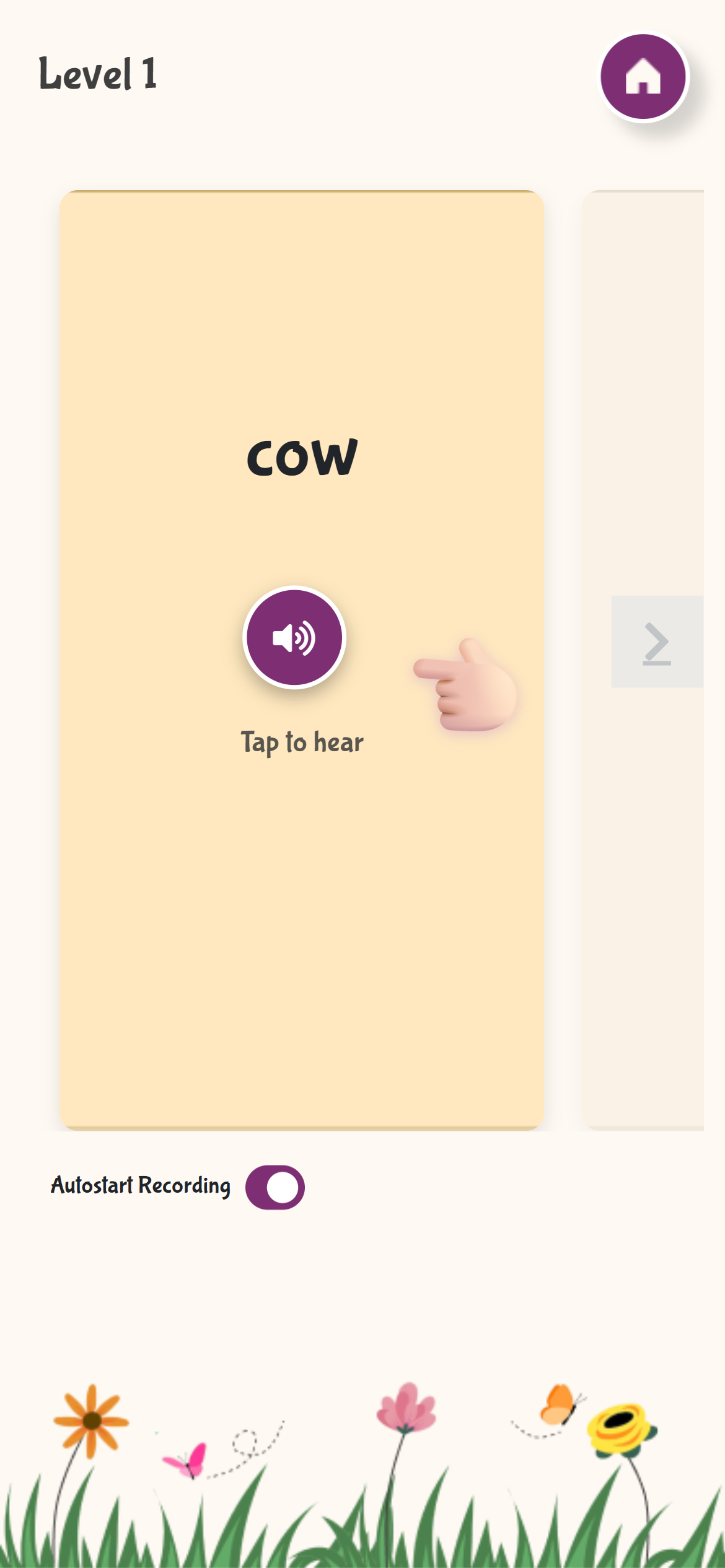
In the "Hear and Repeat" exercise, learners are introduced to new words or letters with clear pronunciation audio. This creates the initial connection between the written symbol and its sound - the foundation of reading.
Quickly identify and differentiate shapes and sounds
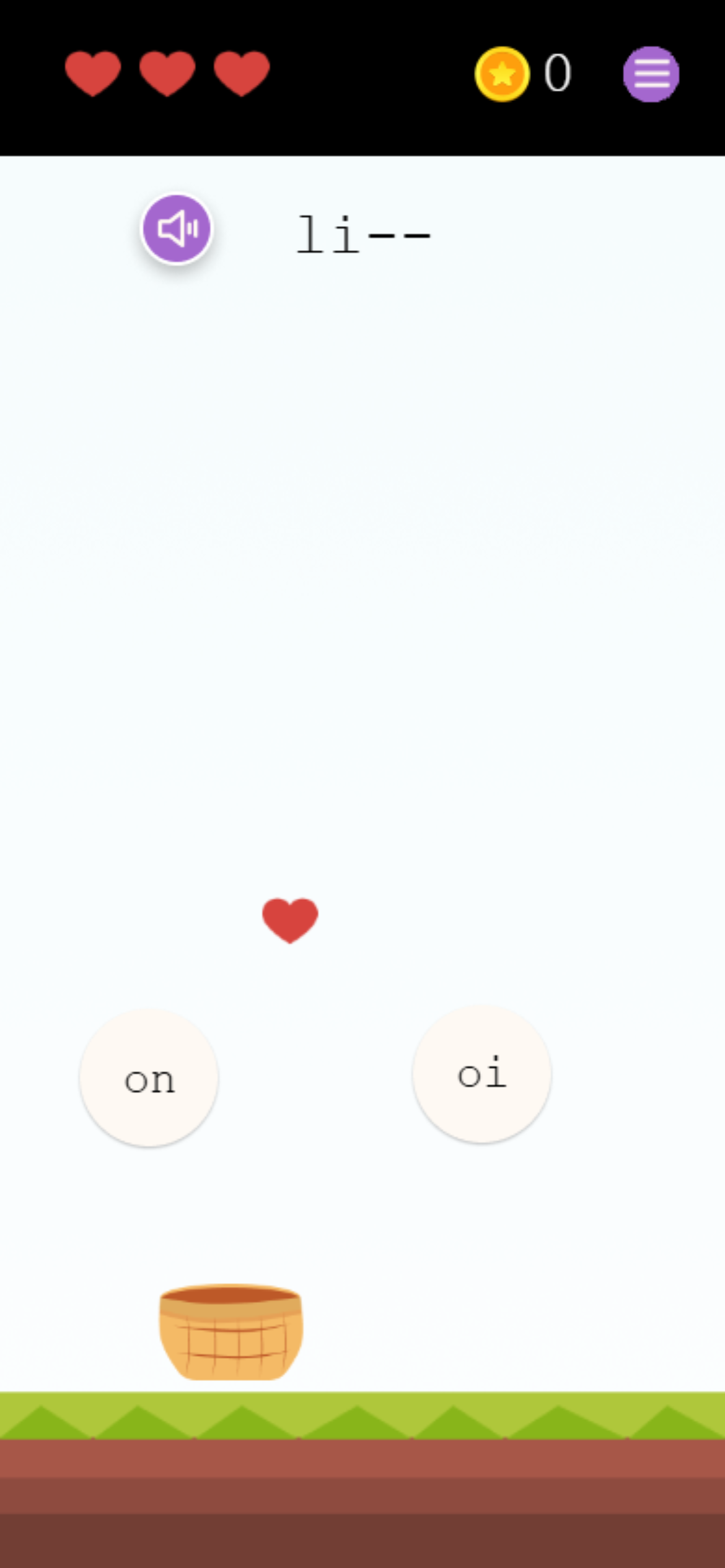
The "Form the Word" game develops pattern recognition skills. Learners must identify correct letters from options, building visual discrimination abilities that are crucial for fluent reading.
Actively retrieve from memory - this is where deep learning happens!
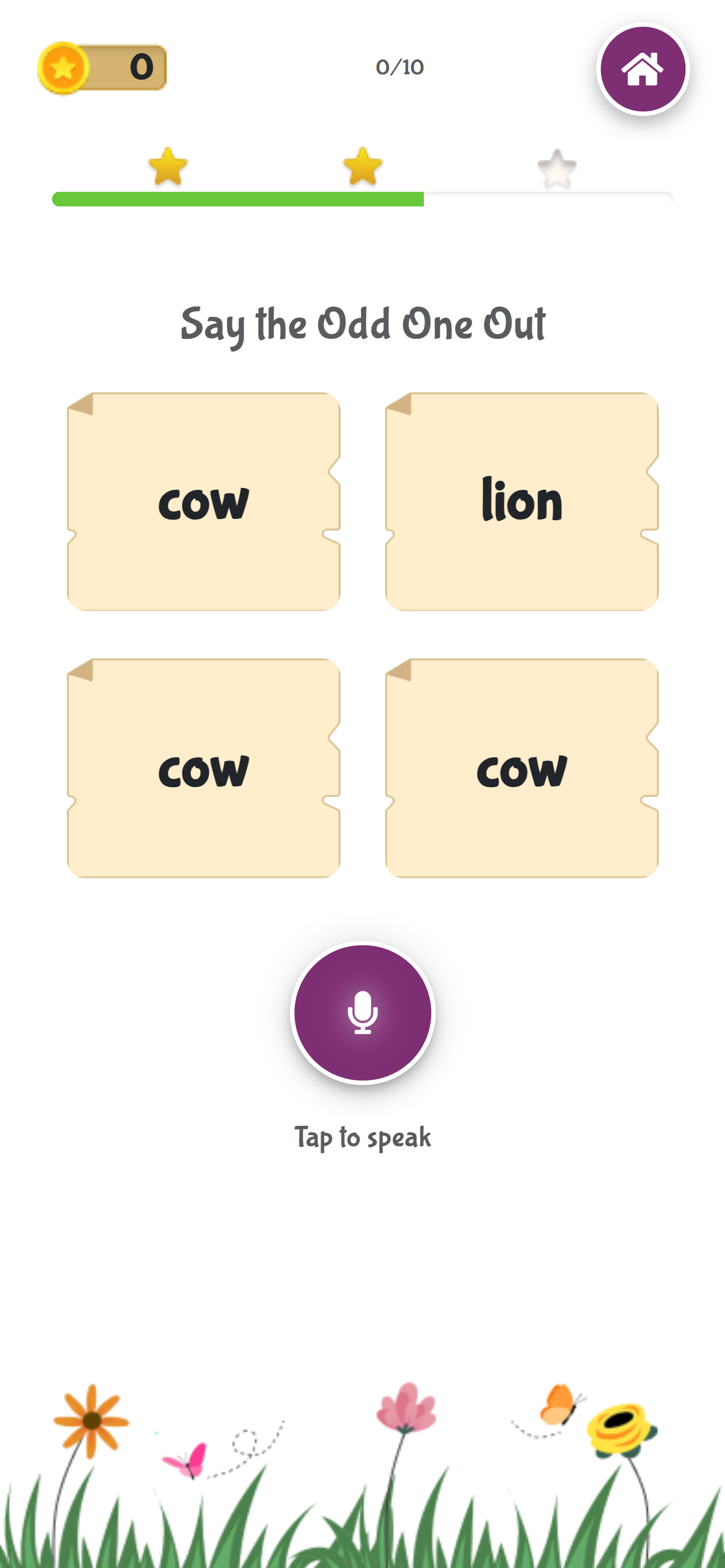
The "Odd One Out" exercise uses Active Recall - the act of retrieving information from memory rather than just recognizing it. Research shows this is 50% more effective than passive re-reading. Learners must recall and speak the target word, not just point to it.
Gamified challenges that deliver massive repetition
The "Invaders" game provides high-volume practice in an engaging format. This is where fluency is truly built - through rapid, repeated exposure until recognition becomes automatic and effortless.
Traditional learning often involves passively re-reading material, which creates an "illusion of knowing" but fades quickly. AlphaKhoj's 4-step method is built on Active Recall (the "Testing Effect"), which has been proven to improve long-term retention by up to 50%. Each step builds on the previous one, moving from introduction → recognition → recall → automatic fluency.
AlphaKhoj currently supports the following languages for learning:
| Language | Script | OCR Support |
|---|---|---|
| Hindi | Devanagari | ✓ |
| English | Latin | ✓ |
| Tamil | Tamil | ✓ |
| Telugu | Telugu | ✓ |
| Kannada | Kannada | ✓ |
| Malayalam | Malayalam | ✓ |
| Bengali/Bangla | Bengali | ✓ |
| Gujarati | Gujarati | ✓ |
AlphaKhoj is a browser-based application that works on any modern device:
1 Open your web browser and navigate to:
https://frontend.alphakhoj.com
2 Grant camera and microphone permissions when prompted
3 The web version offers full functionality
1 Visit the Google Play Store or go directly to:
https://play.google.com/store/apps/details?id=com.alphakhoj.frontend.twa
2 Tap "Install" and wait for the download to complete
3 Once installed, tap "Open" to launch AlphaKhoj
4 Grant necessary permissions when prompted
When you first access AlphaKhoj, you'll need to create an account:
1 On the login screen, tap "Sign Up" or "Create Account"
2 You can sign up using:
3 Enter your details and create your account
4 Verify your email address if signing up with email
After creating your account, you'll set up user profiles for your children or learners:
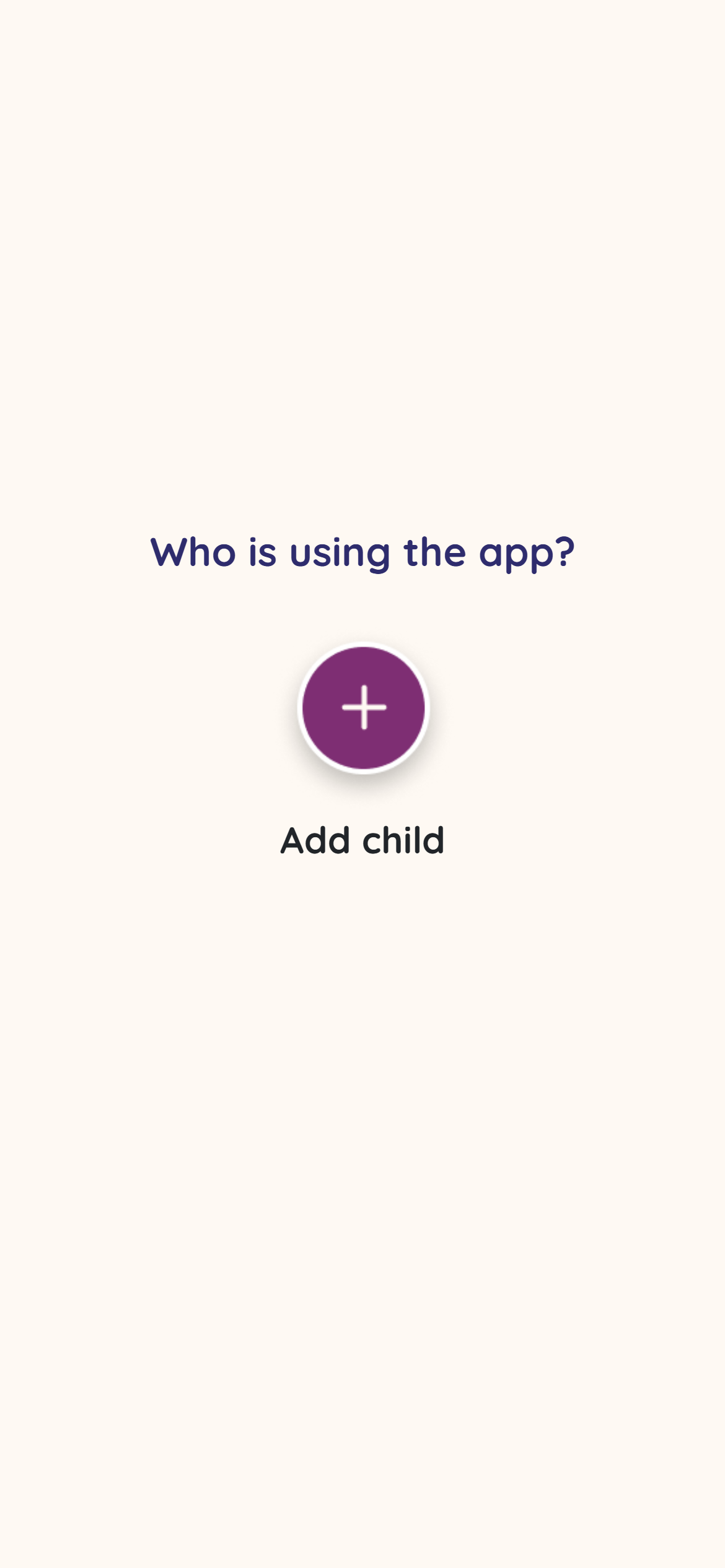
1 On the "Select User" screen, tap "Add New Child" or the "+" button
2 Enter the child's information:
3 The profile is automatically created and saved
4 Repeat for additional children if needed
5 Select a profile to begin learning
The Dashboard is the central hub of AlphaKhoj where you can access all major features. After logging in and selecting a user profile, you'll see the main dashboard screen.
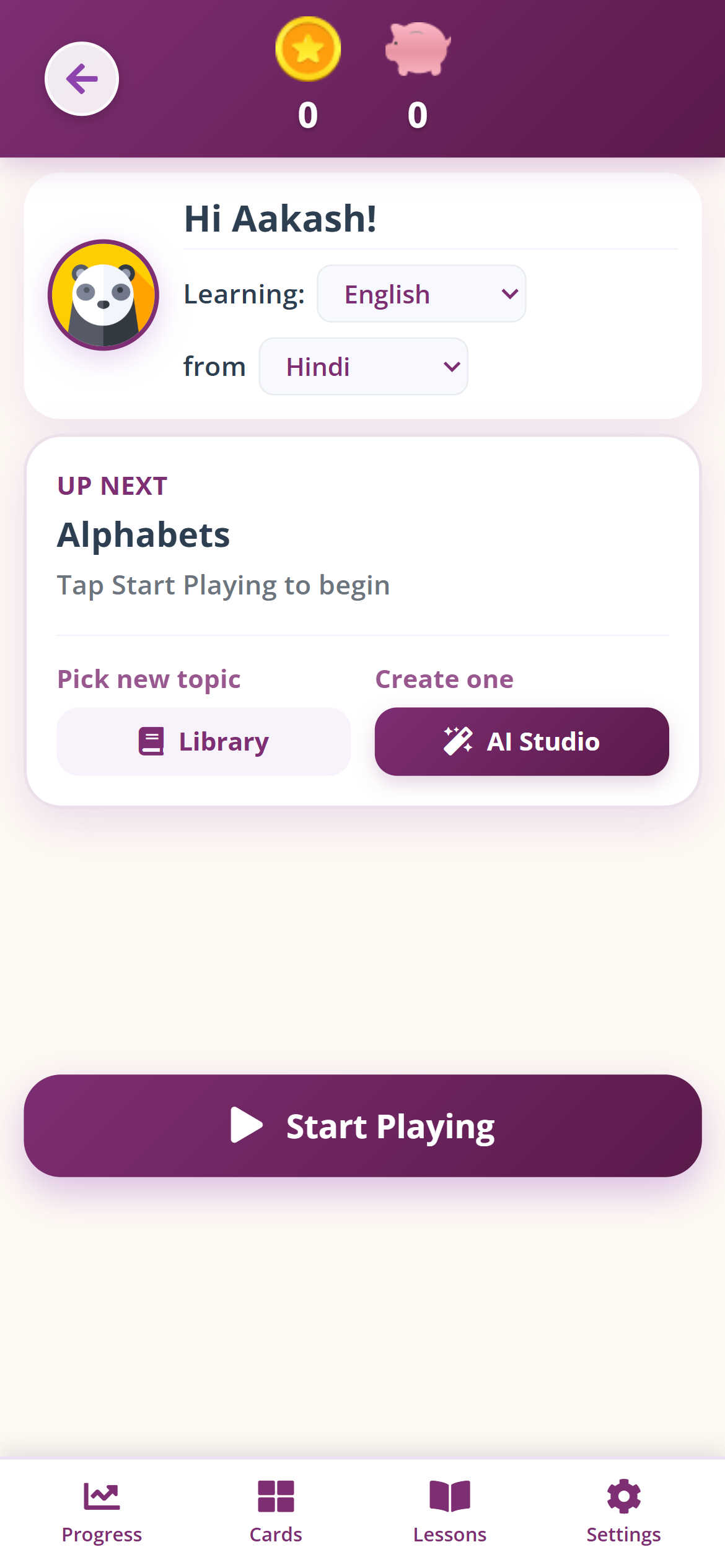
At the bottom of the dashboard, you'll find four navigation buttons:
| Button | Description |
|---|---|
| Progress | View analytics and reading insights |
| Cards | Access your unlocked word card collection |
| Lessons | Browse and manage lessons in the Library |
| Settings | Access app settings and preferences |
The main content area shows your currently selected lesson:
Below the lesson card, you'll find two action buttons:
The large "Start Playing" button launches the Child Home screen where learning takes place.
AlphaKhoj supports two language settings that can be configured on the dashboard:
This is the language you want to practice and improve. All words, exercises, and content will be in this language.
This is the language used for instructions and navigation. It helps learners understand what to do in each exercise.
1 On the dashboard, locate the language dropdowns under your profile
2 Select "Learning" dropdown and choose from available options
3 Select "from" dropdown for your instruction language
4 Changes are saved automatically
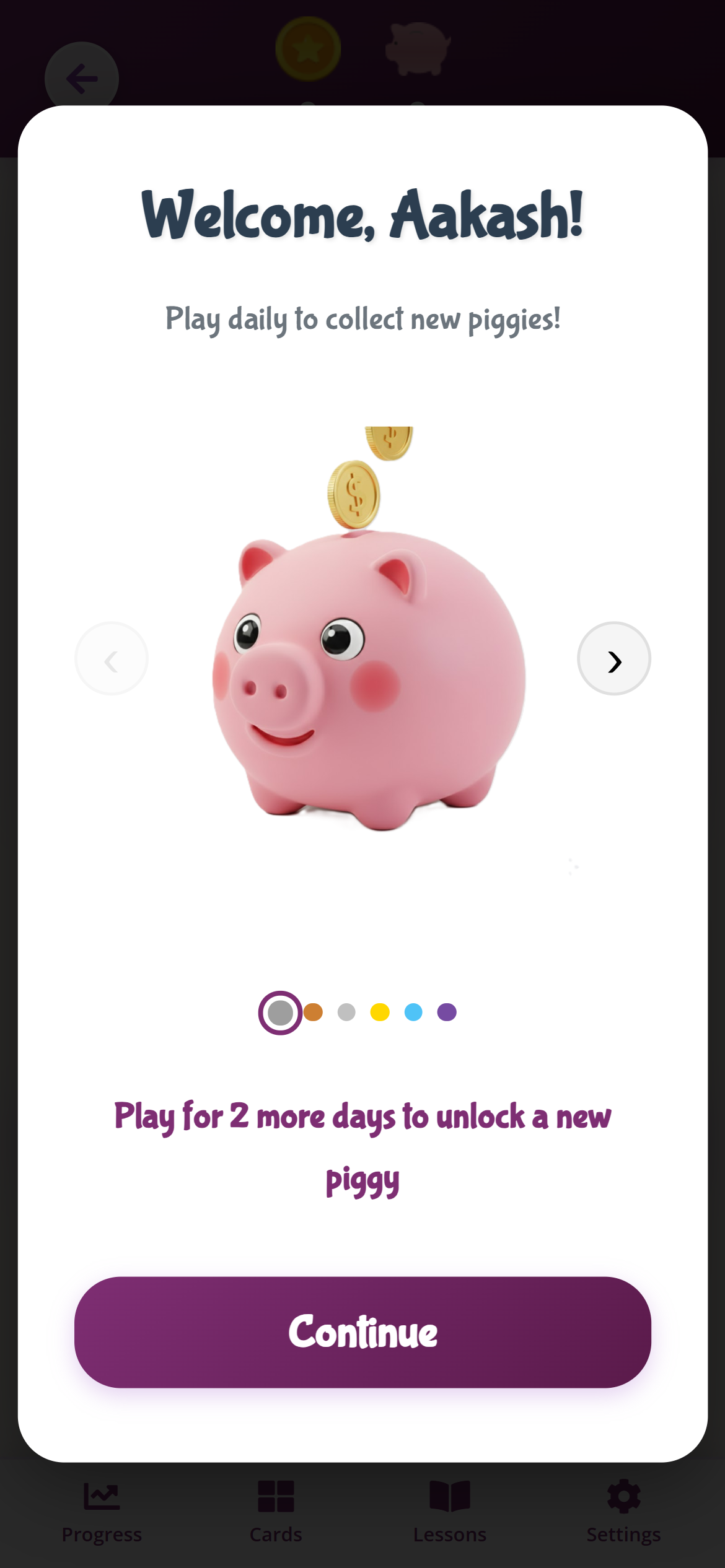
AlphaKhoj uses gamification to maintain motivation and build consistent learning habits.
Earn coins by completing exercises:
Tap on the piggy bank icon to view:
AI Studio is AlphaKhoj's powerful feature for creating personalized lessons from any text material. This ensures that home practice aligns perfectly with school curriculum.
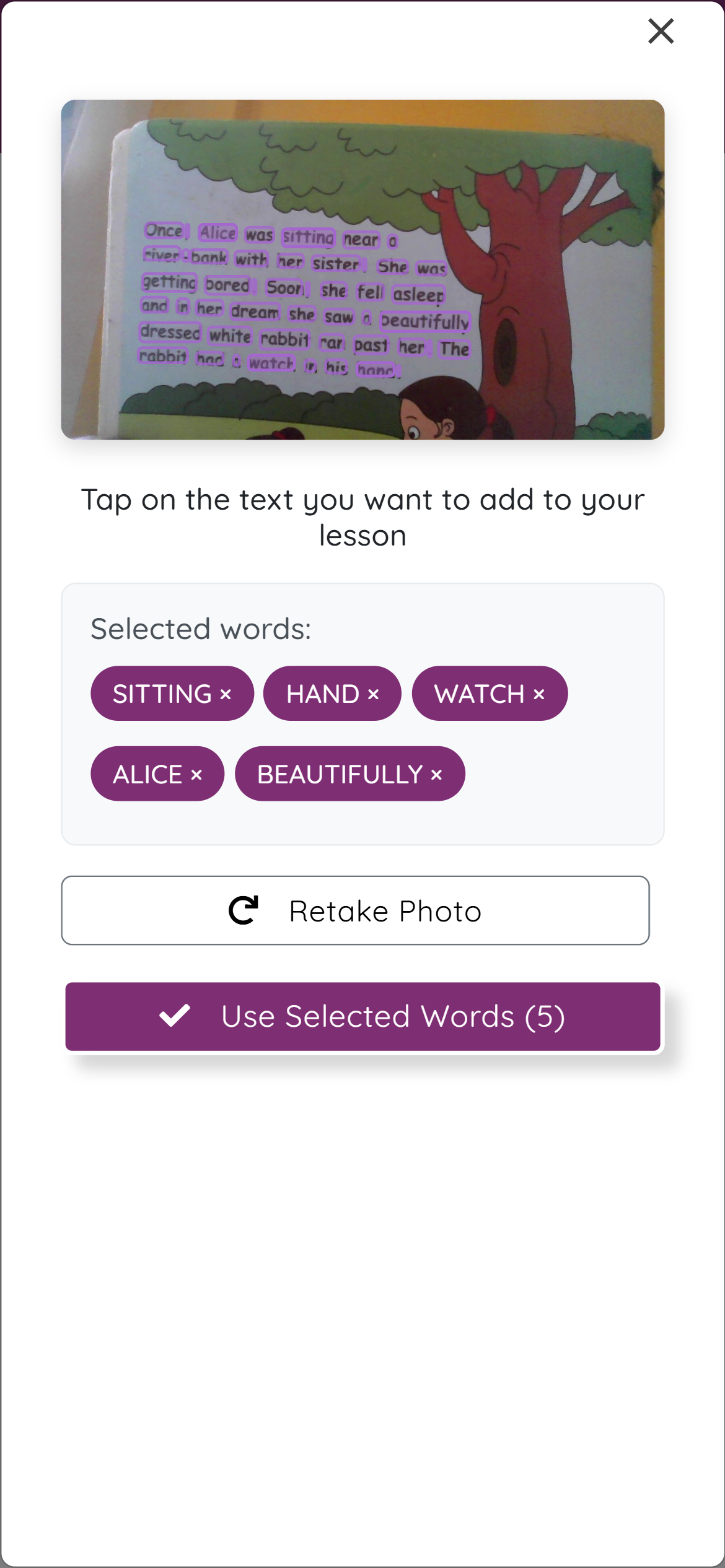
The OCR (Optical Character Recognition) scanner allows you to capture text from physical books, homework pages, newspapers, or any printed material.
1 From the dashboard, tap the "AI Studio" button
2 Tap "Scan a book to add words" (camera icon)
3 Grant camera permission if prompted
4 Position your device camera over the text you want to scan:
5 Tap the capture button to take the photo
6 Wait for OCR processing (usually 2-5 seconds)
7 Review detected text blocks and select the ones you want
8 Tap "Extract Words" to process selected text
9 Review and confirm to create the lesson
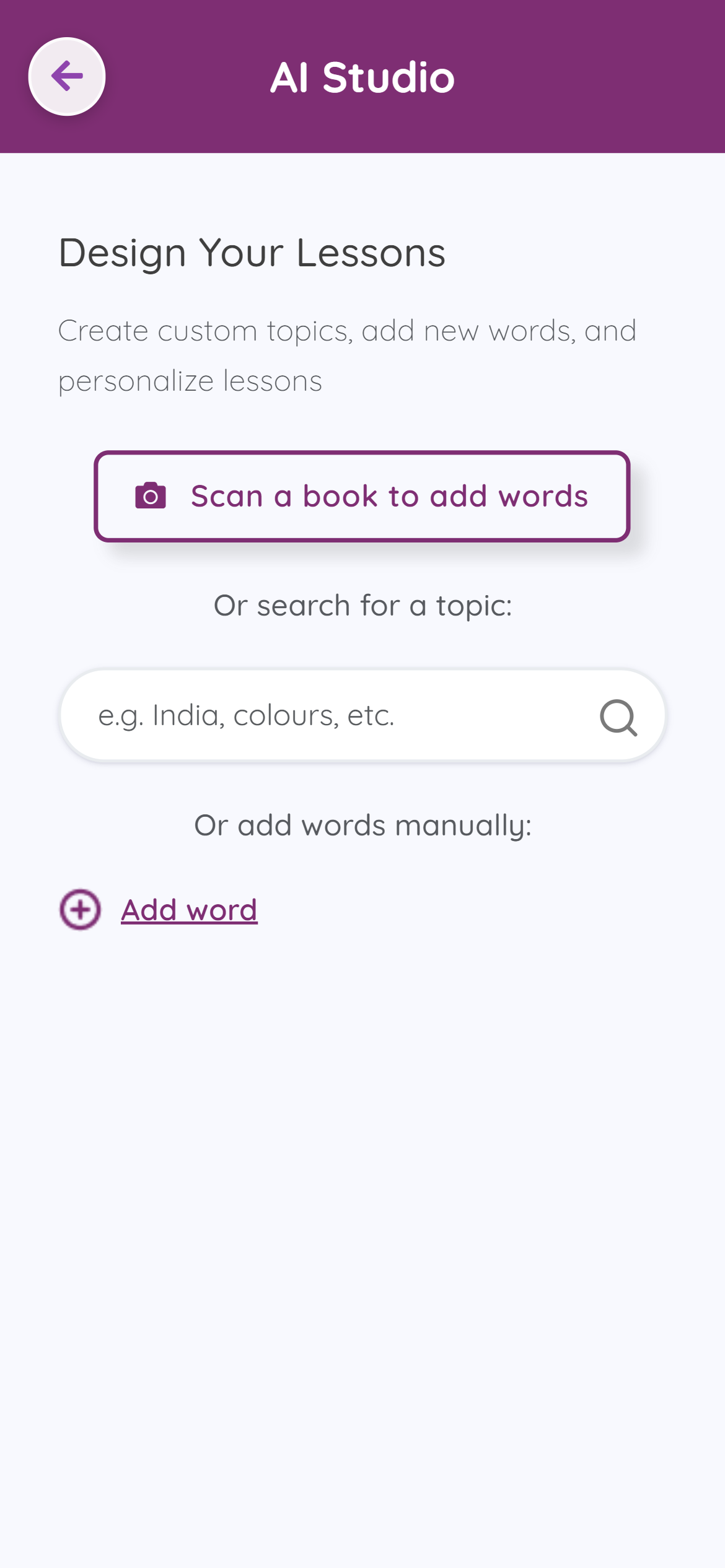
You can search for topics to create lessons from the AI Studio search feature.
1 From AI Studio, find the search box labeled "Or search for a topic"
2 Enter a search term (e.g., "India", "colours", "animals")
3 Press Enter or tap the search icon
4 Review search results and select to create a lesson
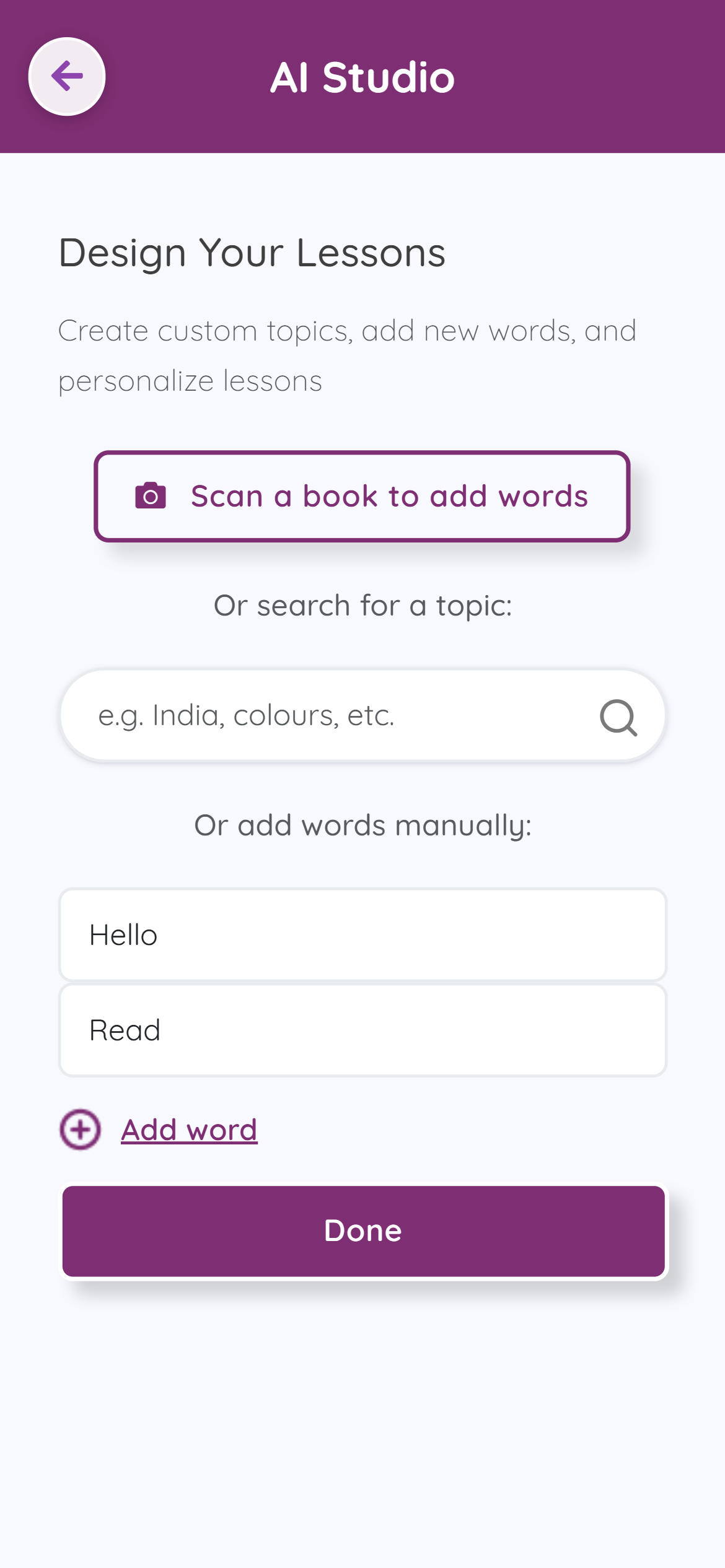
If you want to create a custom lesson with specific words, you can manually enter them.
1 From AI Studio, scroll down to "Or add words manually"
2 Type words one by one in the input fields
3 Tap "Add word" to add more input fields
4 Continue adding words (minimum 5 words recommended)
5 When finished, tap "Done" to create the lesson
The Lessons Library is where you browse, select, and manage all your learning content.
1 From the dashboard, tap "Library" or the "Lessons" button in the footer
2 The Lessons Library opens with two tabs:
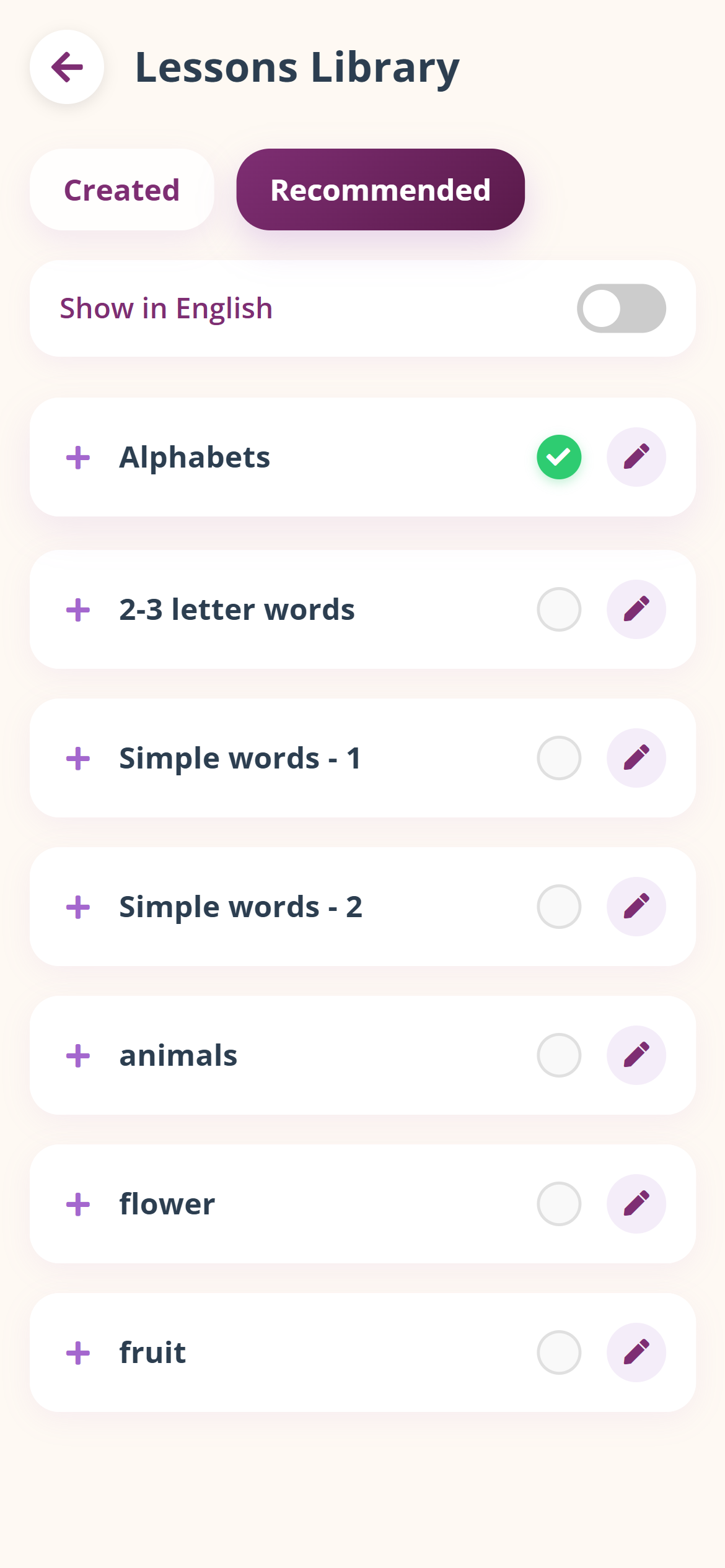
Each topic in the list shows:
Use the "Show in English" toggle to view topic names in either English or the native script.
1 Browse the Lessons Library
2 Find the topic you want to practice
3 Tap on the checkmark area to select it
4 You'll be redirected to the dashboard with this topic as "Up Next"
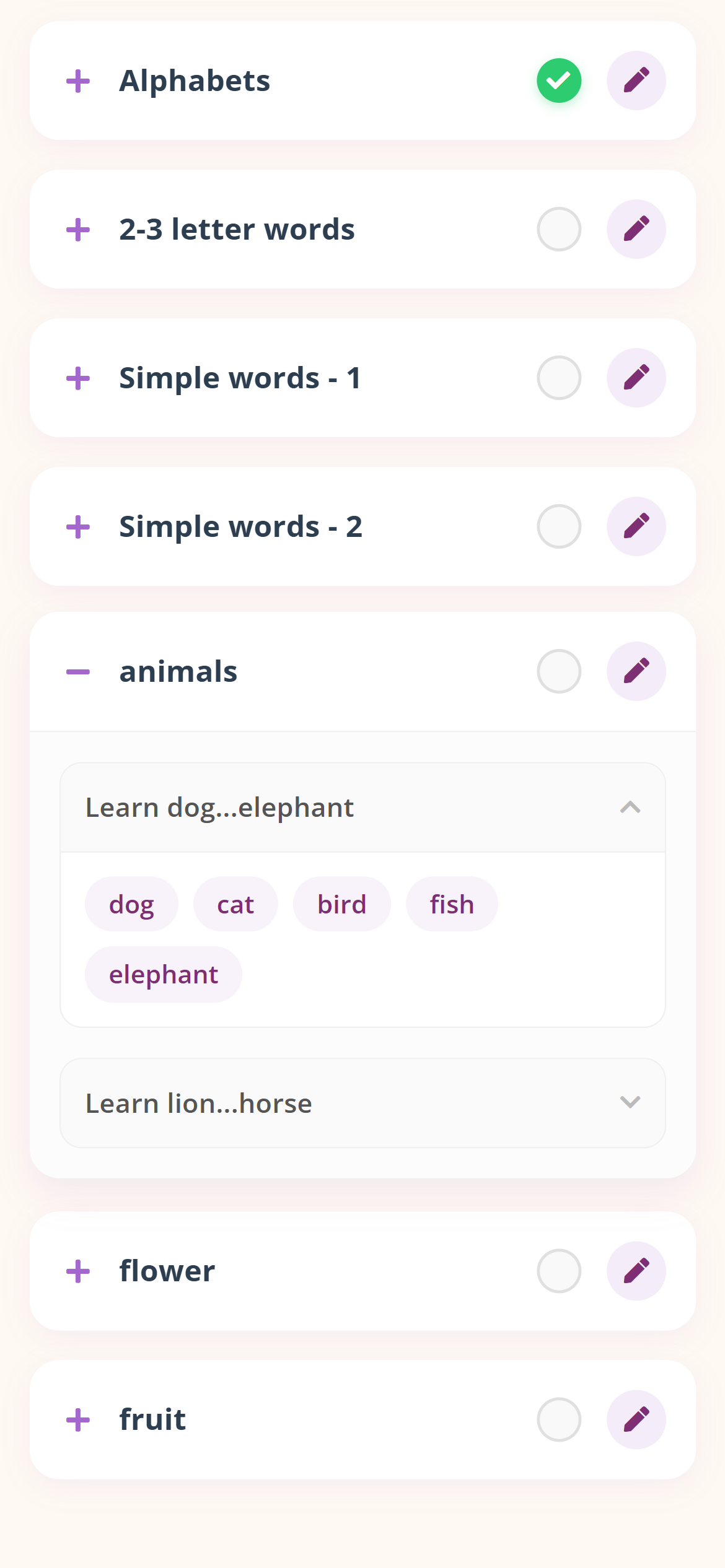
1 Tap on a topic card to expand it
2 Subtopics are displayed with naming format: "Learn {first word}...{last word}"
3 Tap on a subtopic to see all words included
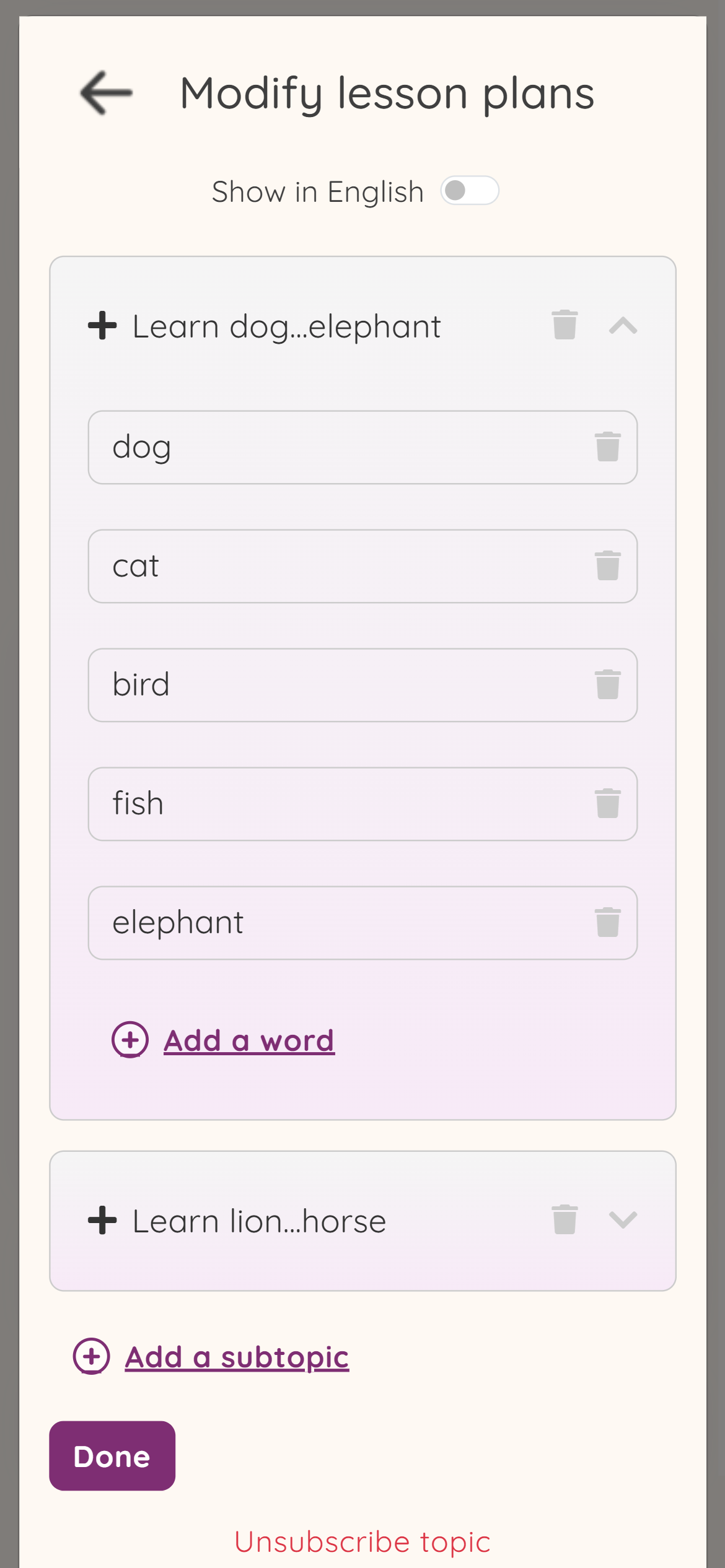
Custom lessons (created via AI Studio) can be edited.
1 Go to Lessons Library > "Created" tab
2 Find the lesson you want to modify
3 Tap the edit button (pencil icon)
4 Modify the lesson as needed
5 Save your changes
The Child Home screen is the main interface for learners to practice and progress through their current lesson.
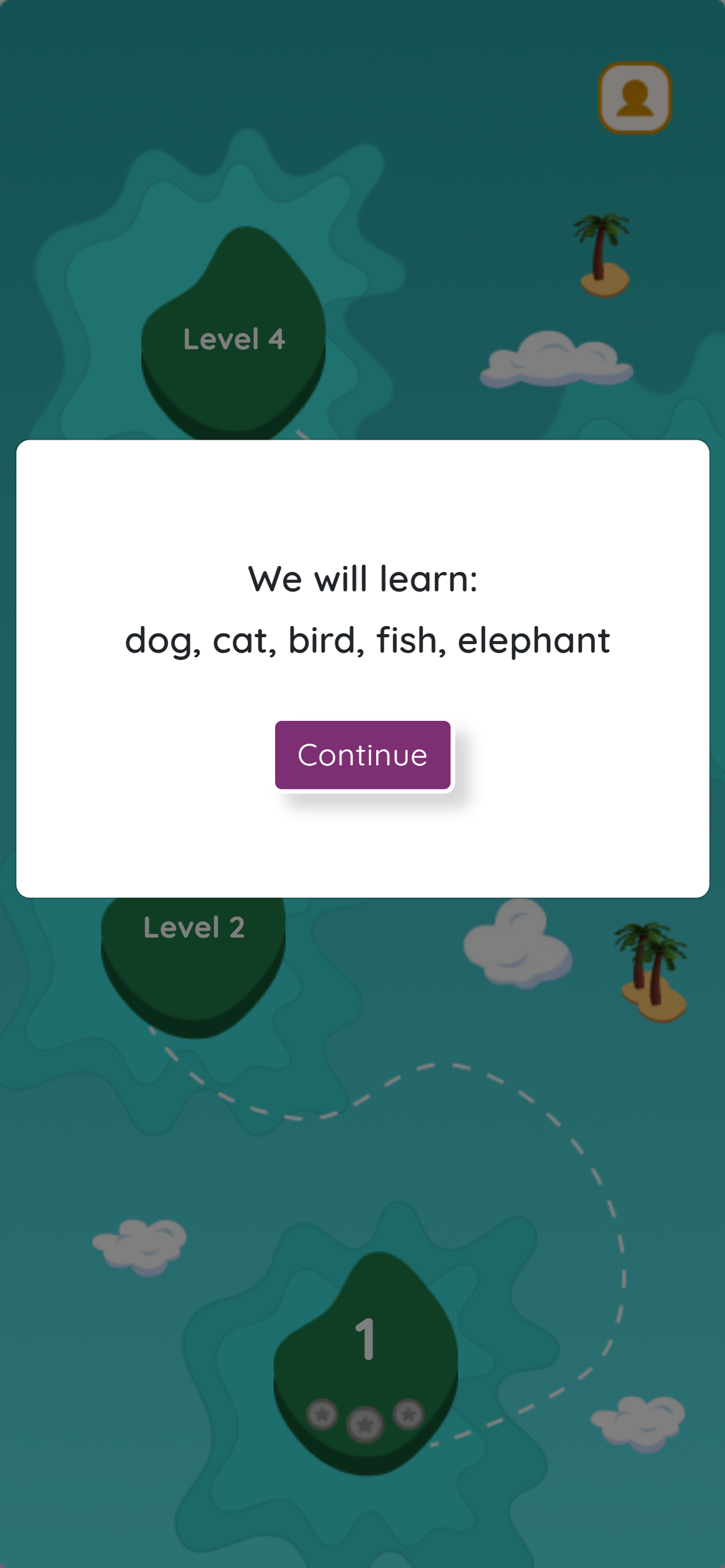
As you complete levels, a boat animates along a path between islands, providing visual feedback on your journey progress.
Each subtopic (group of 5 words) requires completing 4 levels. Each level is represented by an "egg" on the screen.
The 4 levels directly implement the neuroscience-backed 4-step methodology (see Section 1.3):
| Level | Step | Exercise | Purpose |
|---|---|---|---|
| Level 1 | Learn | Hear and Repeat | Introduce words with audio; build sound-symbol connection |
| Level 2 | Recognize | Form the Word | Visual identification; distinguish letter shapes |
| Level 3 | Recall | Odd One Out / Scribble | Active retrieval from memory; produce, not just recognize |
| Level 4 | Practice | Invaders Game | High-volume repetition; build automatic recognition |
1 Tap on any available (unlocked) level egg
2 A start game dialog appears with the exercise name
3 Tap to begin the exercise
4 Complete the exercise
5 Return to Child Home with progress updated
Each level shows up to 3 coins below the egg:
After completing Level 1 (Hear and Repeat), a dialog appears asking:
"Are you ready for a test?"
If you pass the test (70%+ accuracy), you may unlock new content faster.
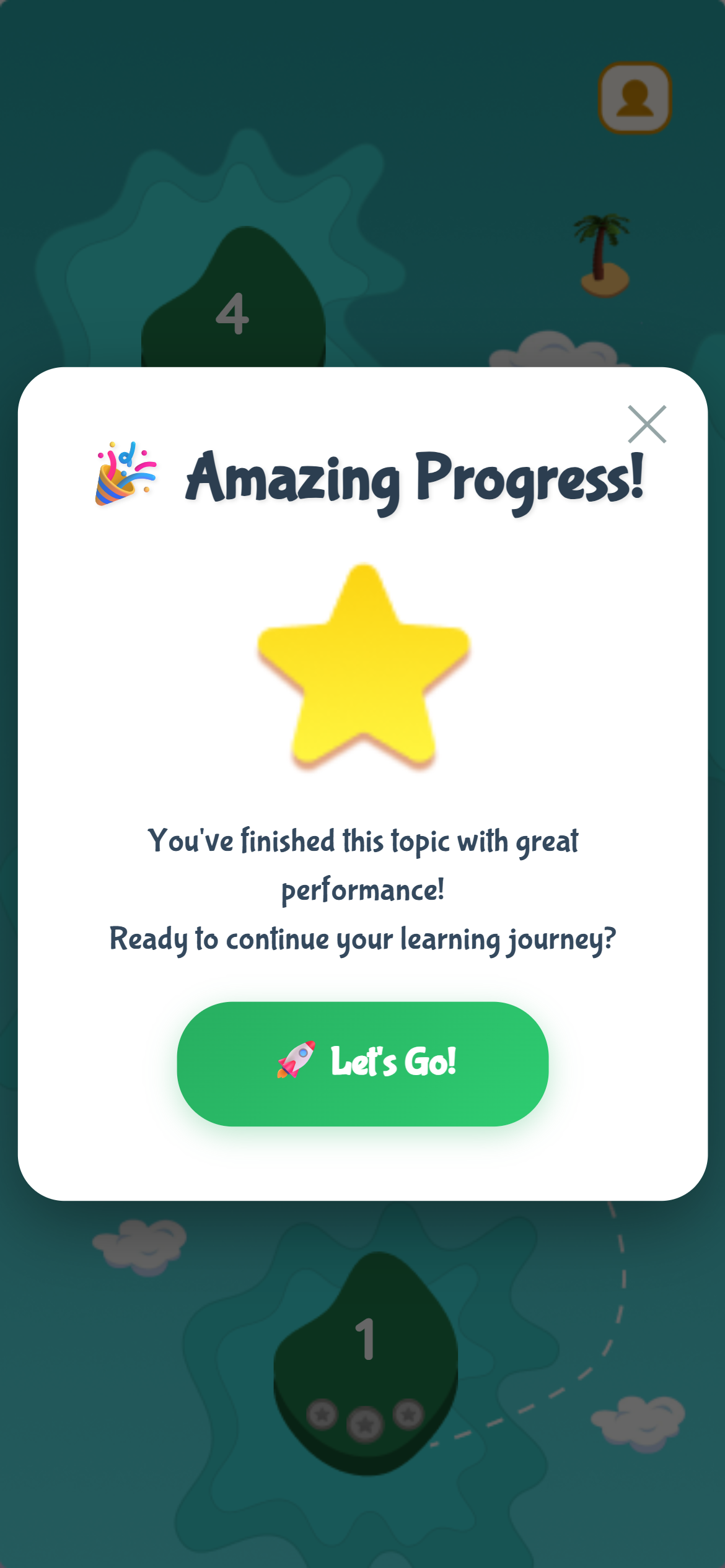
After completing all 4 levels for a subtopic:
1 Celebration dialog appears: "Amazing Progress!"
2 Shows completion message and star icon
3 Tap "Let's Go!" to proceed to the next subtopic
4 The boat moves forward on the journey
5 New words are loaded for the next subtopic
AlphaKhoj includes five neuroscience-backed exercises designed to build different aspects of reading fluency.
Develops accurate pronunciation and connects written words with their sounds. This is the foundation of reading fluency.
1 A word appears on screen
2 Audio pronunciation plays automatically
3 For multi-syllable words, syllable breakdown may be provided
4 Learner repeats the word out loud
5 Speech recognition analyzes pronunciation
6 Feedback is provided based on accuracy
7 Proceed to next word
Builds spelling skills and morphological awareness by constructing words from letters.
1 A target word is displayed
2 Letters appear on screen for collection
3 Swipe left or right to collect the correct letters
4 Build the word letter by letter
5 Complete the word to hear pronunciation
6 Proceed to next word
Level 3 varies based on the type of content being practiced.
Develops rapid word recognition and processing speed through voice-based selection.
1 Multiple words appear on screen
2 Say the target word out loud to select it
3 Speech recognition validates your selection
4 Immediate feedback provided
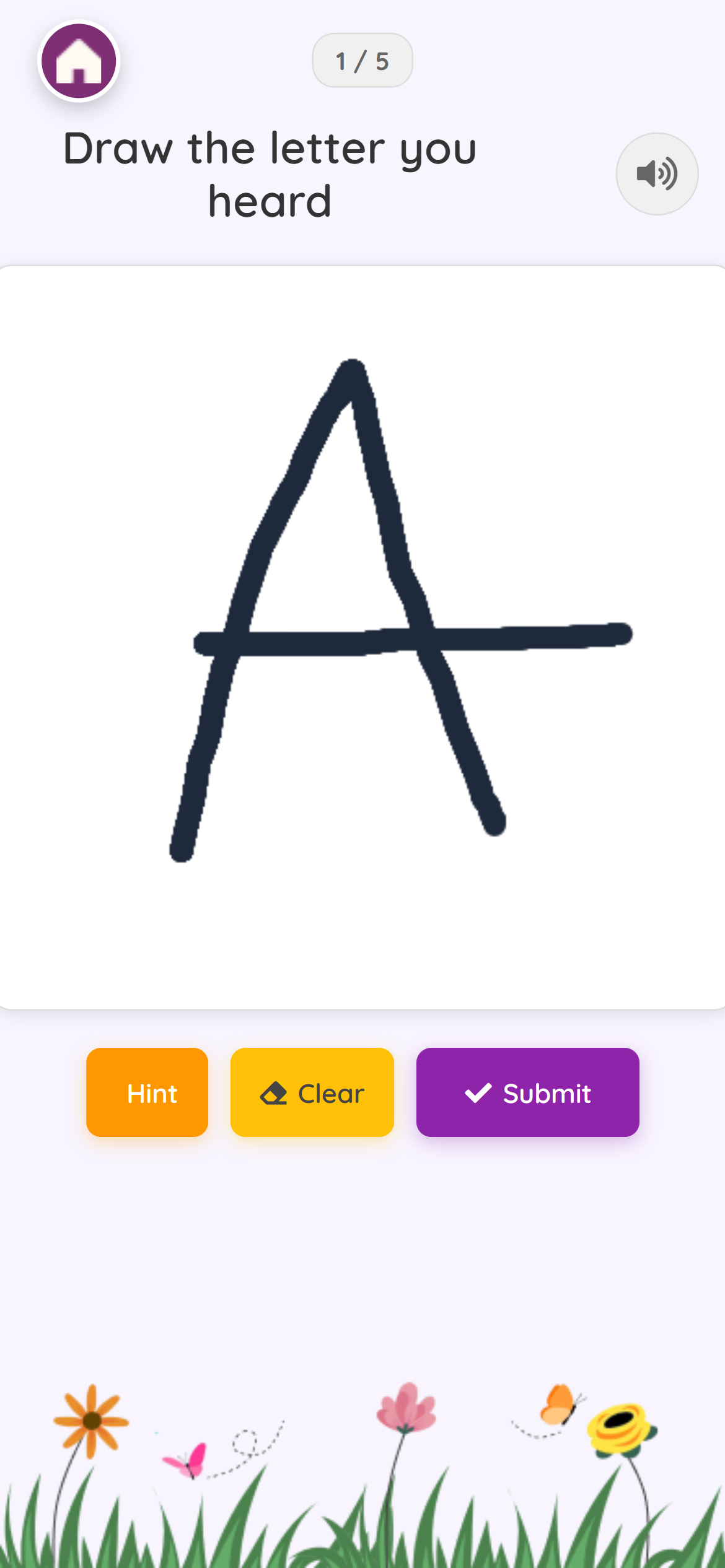
Develops motor skills and letter formation knowledge for alphabet learning.
1 A letter appears with pronunciation
2 A drawing canvas is provided
3 Draw/write the letter using finger or stylus
4 Drawing assessment provides feedback based on closeness to the target
5 Option to use hint (shows letter outline if needed)
6 Proceed to next letter until all are completed
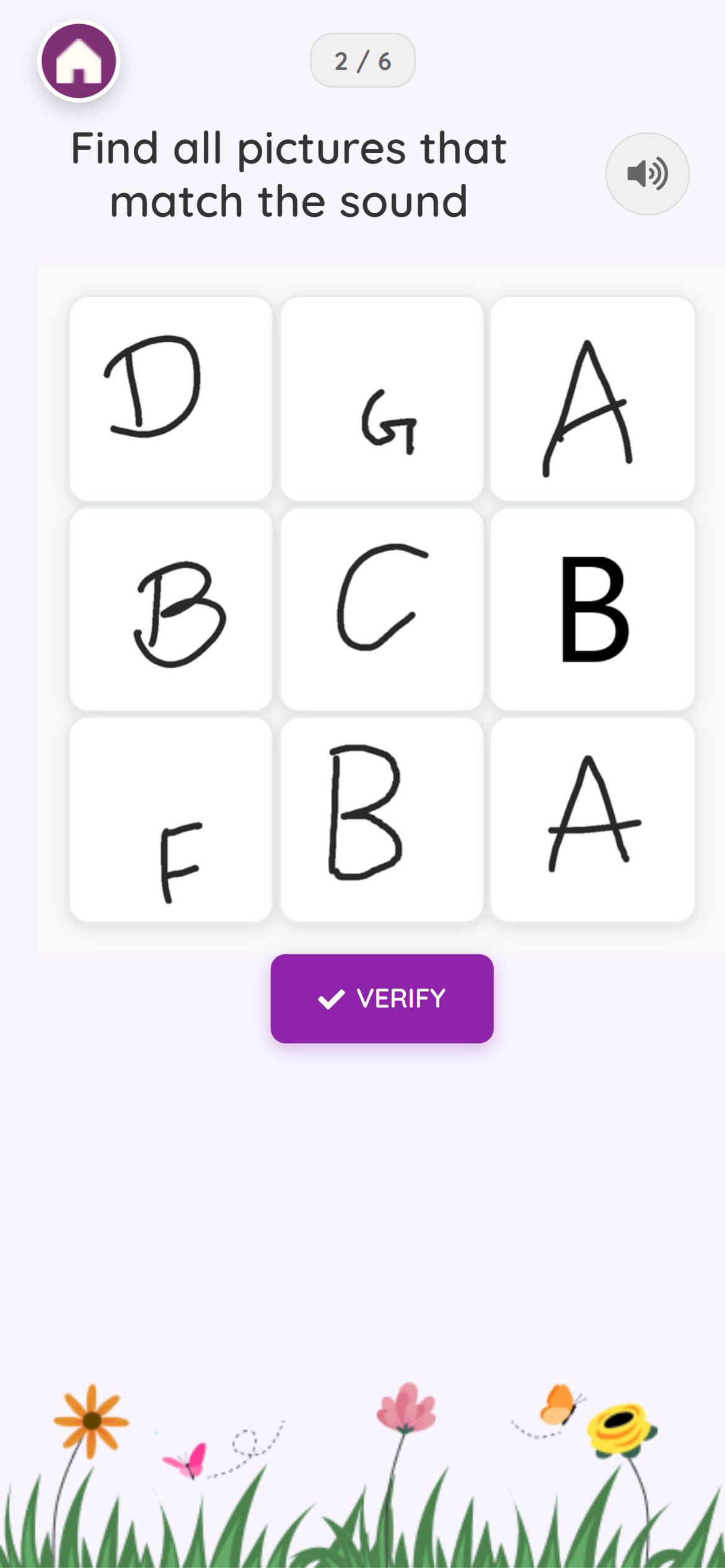
After completing the drawing practice for all letters, a Challenge Round begins:
1 Audio plays a letter sound
2 Multiple letter images appear as options (showing different handwriting styles)
3 Select the correct letter that matches the sound
4 This tests recognition across different fonts and handwriting variations
Provides high-volume, rapid repetition in an engaging game format. Delivers many word exposures per minute while feeling like entertainment.
1 Words descend from top of screen (like Space Invaders)
2 Tap/shoot the matching word before it reaches the bottom
3 Avoid or ignore incorrect words
4 Game speeds up as you progress
5 Score based on accuracy and speed
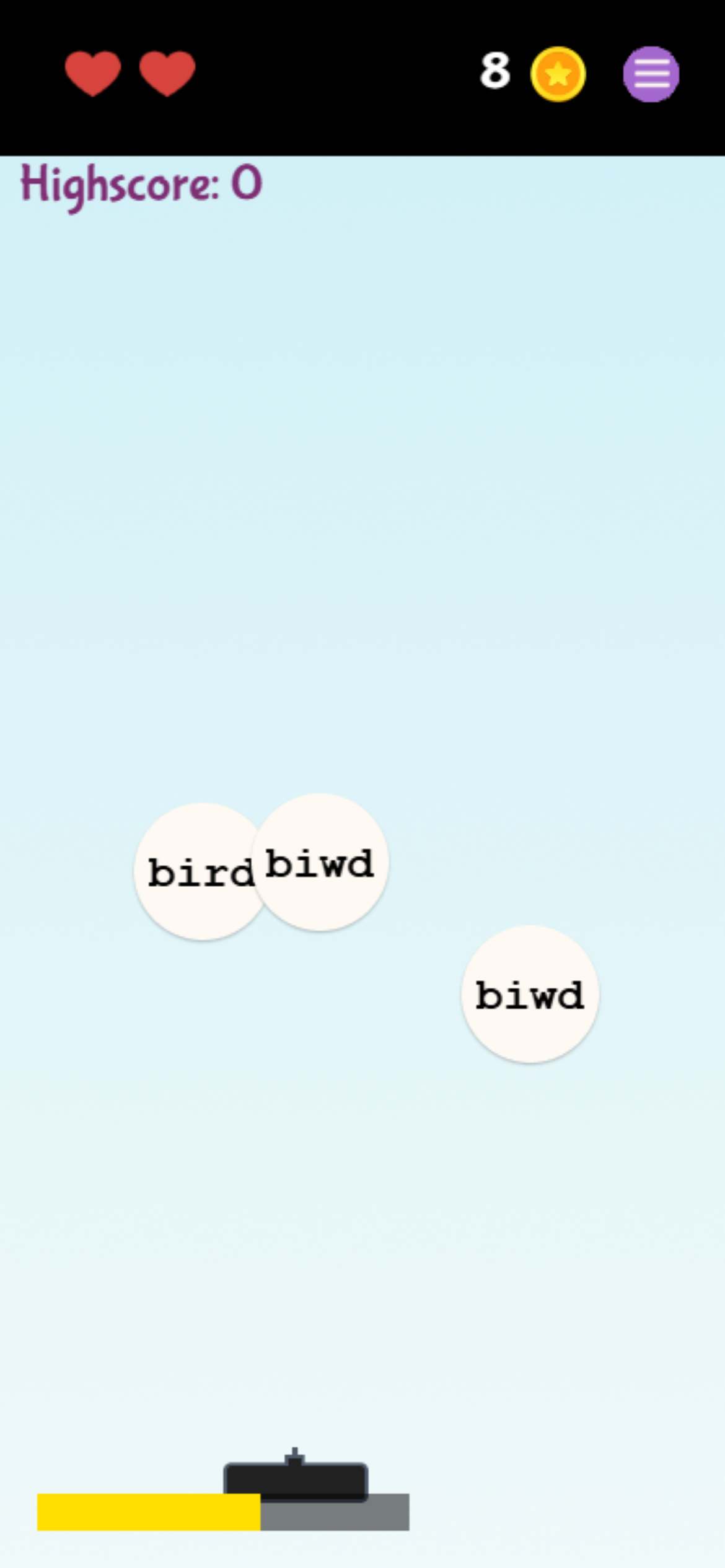
This game leverages the brain's reward system and creates "flow" where learning feels effortless. The rapid repetition builds automatic word recognition - the foundation of fluency. Because it feels like play rather than study, learners maintain focus longer.
Tests comprehension and word recognition. Offered after Level 1 as an optional shortcut to test readiness.
1 After completing Level 1, dialog asks "Are you ready for a test?"
2 If you choose Yes (✓):
3 Results:
AlphaKhoj provides analytics to help monitor learning progress and identify areas needing attention.
From the dashboard, tap "Progress" in the footer navigation
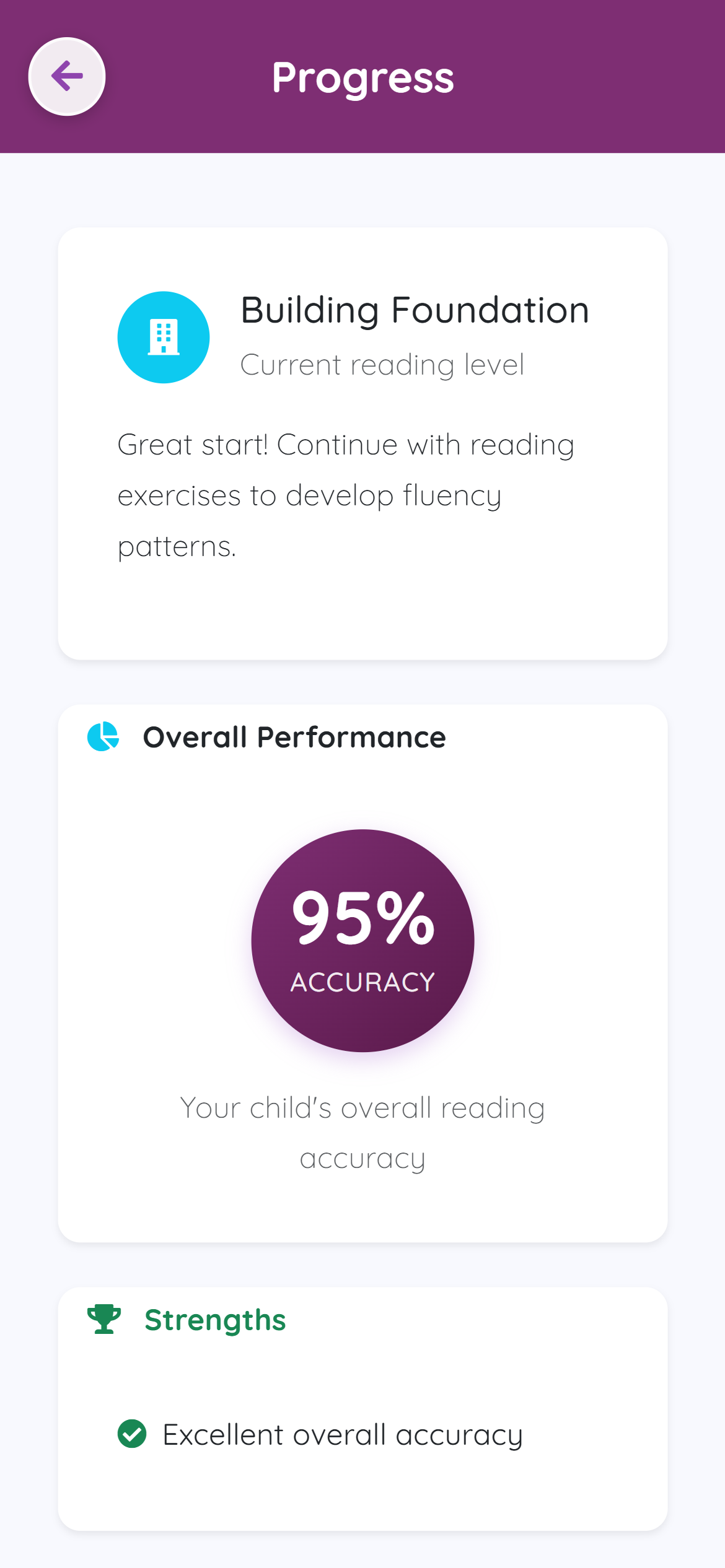
The system classifies reading patterns based on performance data and displays:
Shows your accuracy percentage across all exercises.
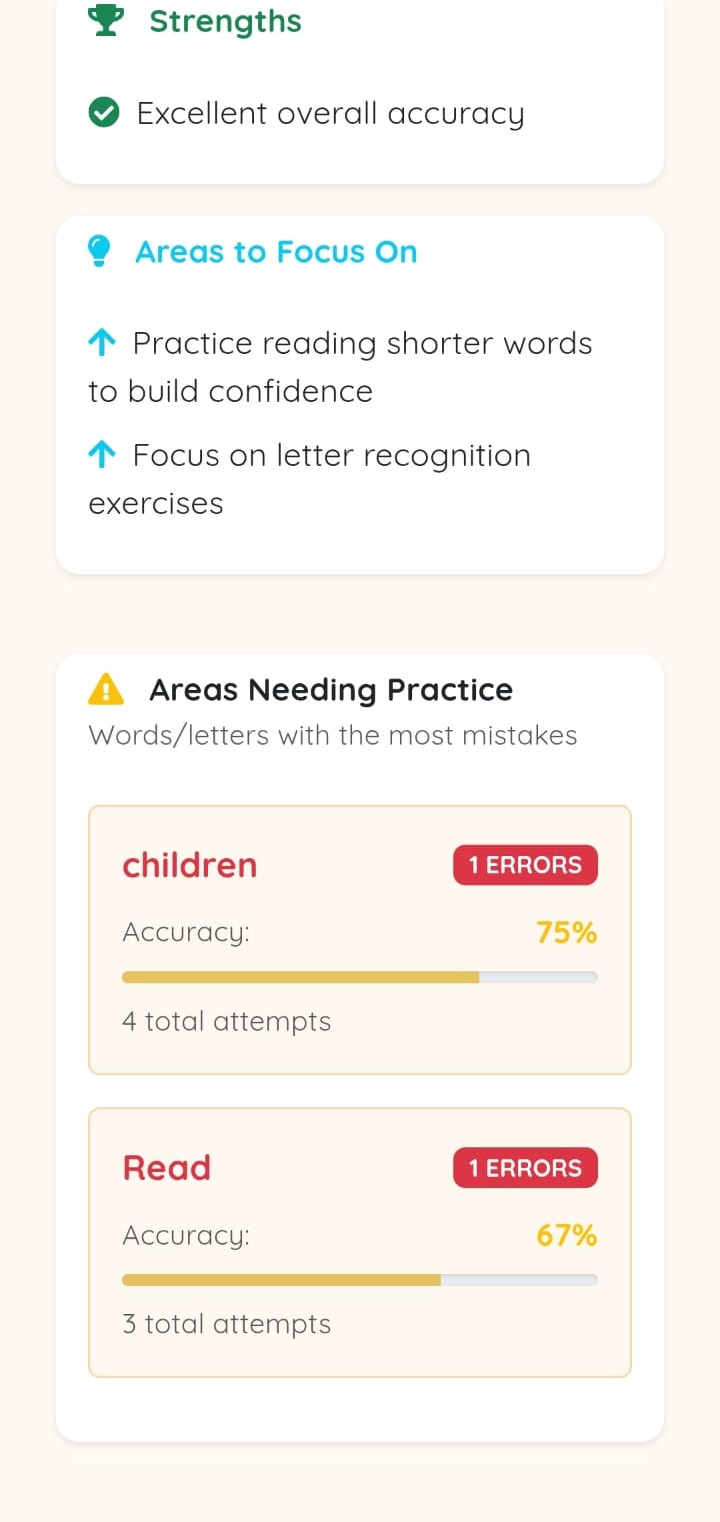
Lists areas where the learner is performing well, marked with green checkmarks.
Lists areas needing improvement, with suggestions for practice.
Displays specific words or letters with the most mistakes:
The Card Collection provides a visual representation of learning progress. Each mastered word becomes an unlockable card.
1 From the dashboard, tap "Cards" in the footer navigation
2 View all your unlocked word cards
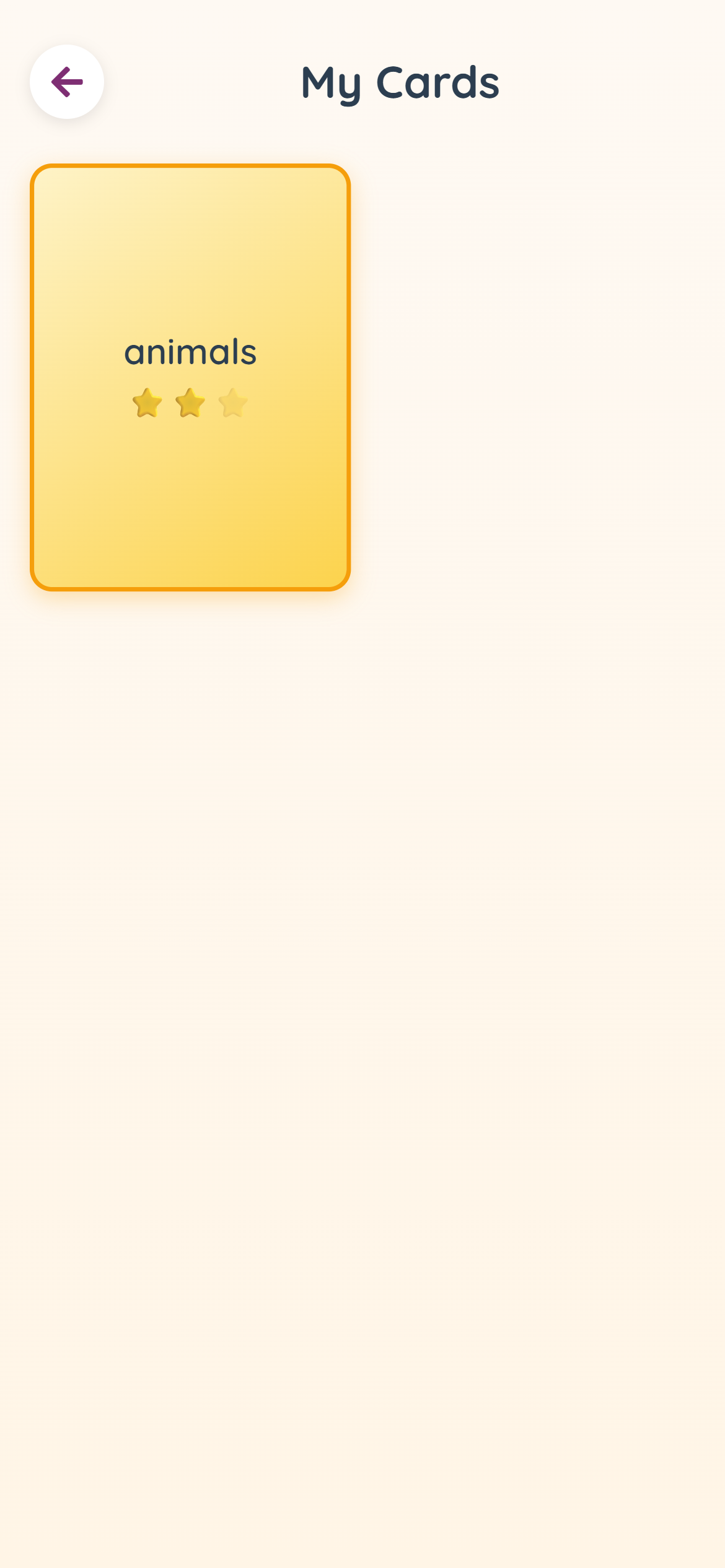
Cards are earned as you complete exercises and master words throughout your learning journey.
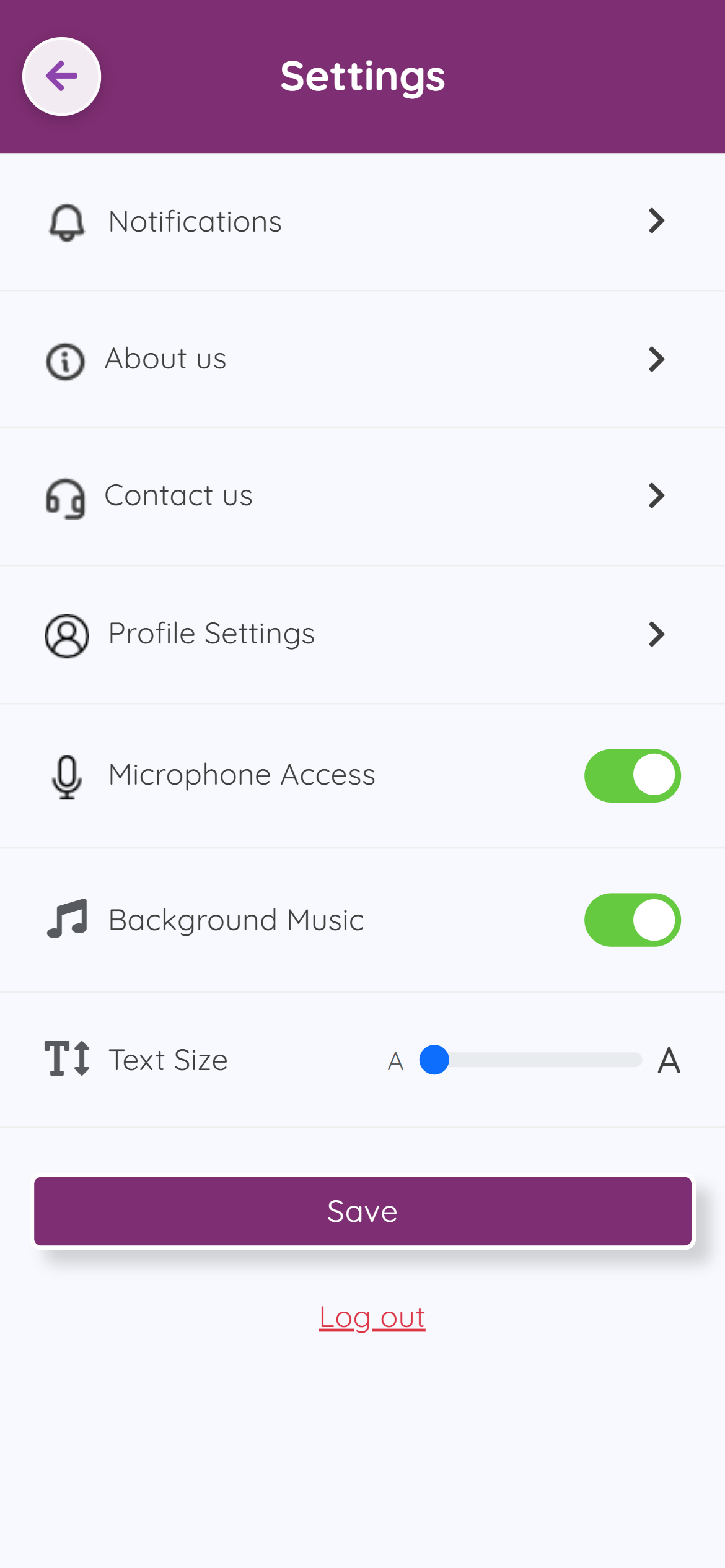
Access Settings from the footer navigation on the dashboard.
Consistency beats duration. Research shows that 15 minutes of focused, daily practice is more effective than occasional longer sessions.
Select a consistent daily time when your child is:
Create content that matters to your child:
| Problem | Solution |
|---|---|
| Microphone not working | Check browser/app permissions for microphone access |
| Speech recognition fails | Reduce background noise; speak clearly; check internet connection |
| Camera not working for OCR | Check camera permissions; ensure good lighting |
| Page not loading | Check internet connection; refresh the page; clear browser cache |
| Audio not playing | Check device volume; unmute the device; check browser audio permissions |
| Progress not saving | Ensure internet connection; wait for sync; refresh and retry |
A: Most reading apps use generic content that may not align with school learning. AlphaKhoj lets you scan your child's actual textbook and convert those exact words into practice games. This alignment between home practice and school learning dramatically improves fluency development.
A: Yes! AlphaKhoj is designed for children who struggle with reading fluency, including those with dyslexia. The high-volume practice through engaging games helps build automatic word recognition.
A: Most users see noticeable improvements in 4-6 weeks of consistent practice (15-20 minutes daily). The key is consistency.
A: Yes! AlphaKhoj is completely free to use. All features are available at no cost.
A: AlphaKhoj supports English, Hindi, Gujarati, Bangla, Kannada, Telugu, Malayalam, and Tamil.
A: Yes! Log in with the same account on any device and your progress syncs automatically.
| Resource | URL |
|---|---|
| Website | https://alphakhoj.com |
| Web App | https://frontend.alphakhoj.com |
| Google Play Store | Play Store Link |
AlphaKhoj is developed by neuroscientists from the Indian Institute of Science and supported by Emergent Ventures.
We're honored to be part of your reading fluency journey.
Remember: Consistency is key. Just 15 minutes a day can transform reading abilities.